George Pickering
Controls • Motion • Robotics • Stage engineering
Server rack and hosted engineering infrastructure
Software, Networking & Servers • Scarborough, UK • Worldwide

Infrastructure and tooling that support engineering work instead of slowing it down.

Practical systems for workshops, demo rigs and automation teams: reliable networking, remote access that makes sense, Docker-hosted internal apps, monitoring that points to the first failure, and backup and restore workflows that another person can actually follow later.

Main priority Infrastructure that stays usable and recoverable when support is needed urgently.
Best use Engineering workshops, demo rigs, internal tools, remote support and mixed OT / IT environments.
Engineering value Cleaner routing, clearer recovery steps, better uptime visibility and less undocumented risk.
Typical crossover Software and infrastructure work that directly supports controls, commissioning, data logging and site support.

How the infrastructure layer changes the engineering outcome

Infrastructure matters most when nobody wants to think about it. Clear addressing, documented routes, sensible restart behaviour and tested recovery paths make engineering teams faster because the tools around the machine stop becoming a second problem.

Server rack build and deployment
Overview

Supportable OT and engineering infrastructure.

The aim is not maximum complexity. It is a sensible baseline that helps engineering teams stay productive: clear addressing, predictable access, services that restart cleanly, and enough documentation that another person can support the stack later without archaeology.

That includes Docker-hosted internal apps, reverse proxy routing, remote support patterns, logging utilities and UniFi WiFi, CCTV and door access deployments that can pass security inspection where required.

Runbooks
Backups
Segmentation
Clear recovery

Capabilities

Engineering-first infrastructure scoped around how the site, workshop or test platform is actually used.

Networks that do not fight you

Predictable addressing, OT and IT separation where needed, and access rules that match the real operating environment.

Server and app hosting

Docker deployments with restart policies, documented routing and a runbook someone else can maintain later.

Remote support

VPN and controlled access patterns that support engineering work without exposing everything directly to the internet.

Logging and data pipelines

OPC UA signals and related plant data turned into usable records, exports and commissioning-friendly diagnostics.

Monitoring and backups

Backups that are tested, restorable and documented, plus monitoring that helps identify what failed first.

UniFi site systems

WiFi, CCTV and door access built with naming, segmentation and permissions suitable for security inspection.

Deliverables

The deliverable is a supportable system, not just a powered-on rack.

Scope changes by job, but the intent stays the same: diagrams, addressing, service definitions, access notes, backup method and recovery procedure all tied together so future changes do not turn into archaeology.

For internal tools and hosted apps, that means the deployment method is documented as carefully as the application itself.

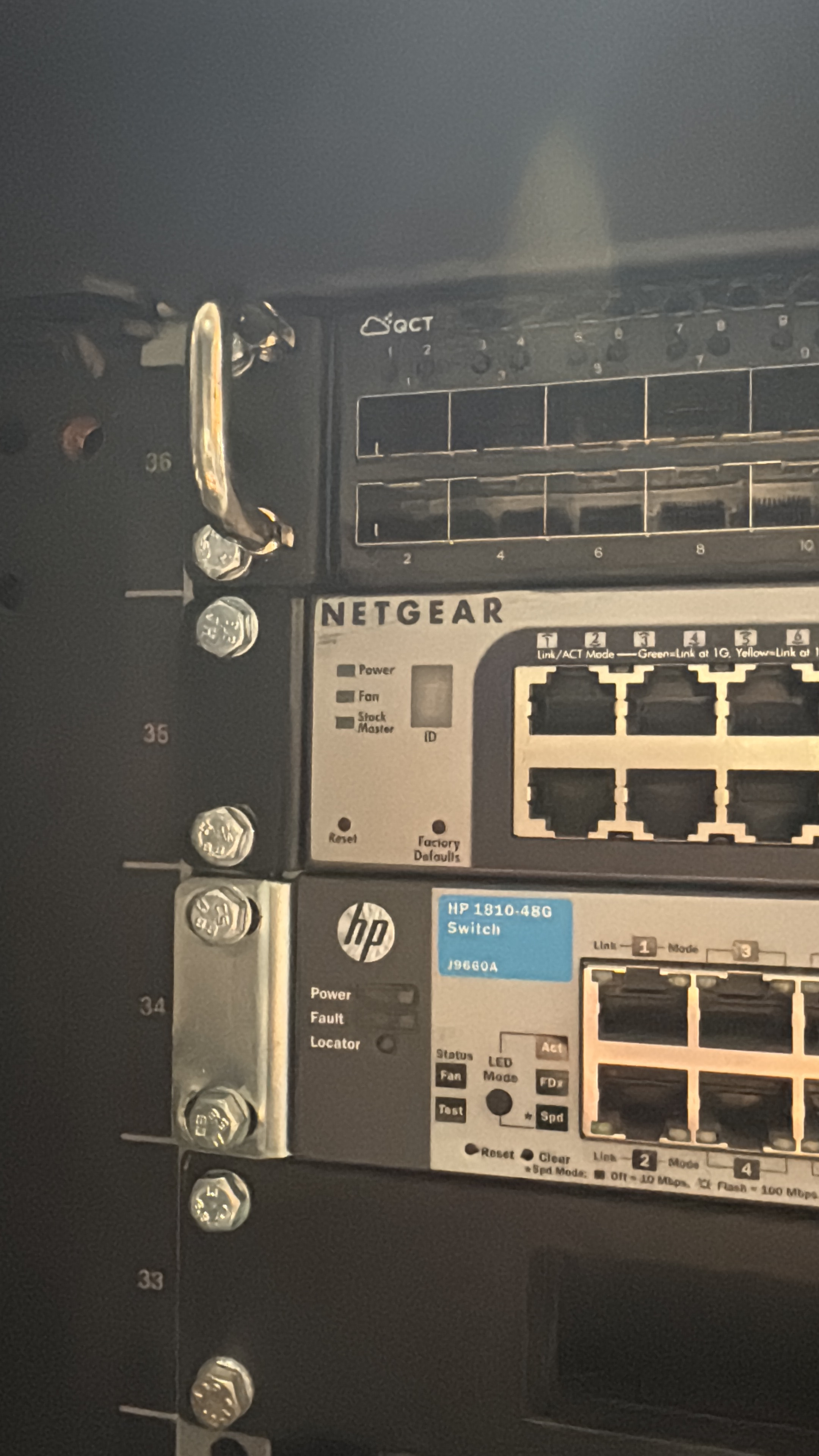
Switching and rack layout detail

Network and infrastructure pack

  • Logical and physical network diagram
  • Device inventory and naming plan
  • IP plan and segmentation notes
  • Port map and remote access notes

Hosted services and runbook

  • Docker compose or equivalent deployment files
  • Reverse proxy and route definitions
  • Backup schedule, retention and restore steps
  • Monitoring checks and first-response recovery notes
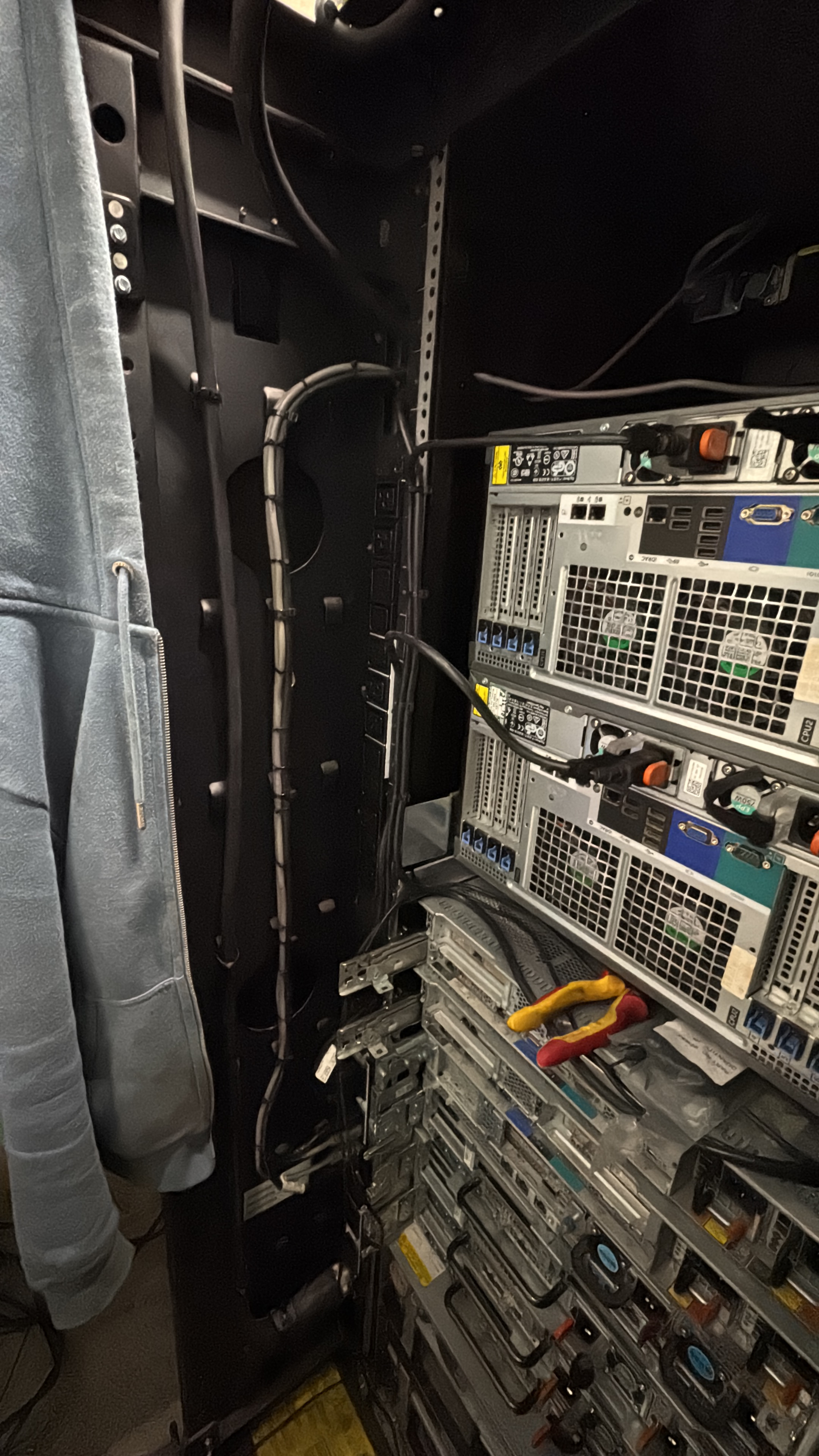
Rear of server rack and cabling

Support-friendly cabling

Cable routing and power distribution arranged so faults and changes are quick to trace.

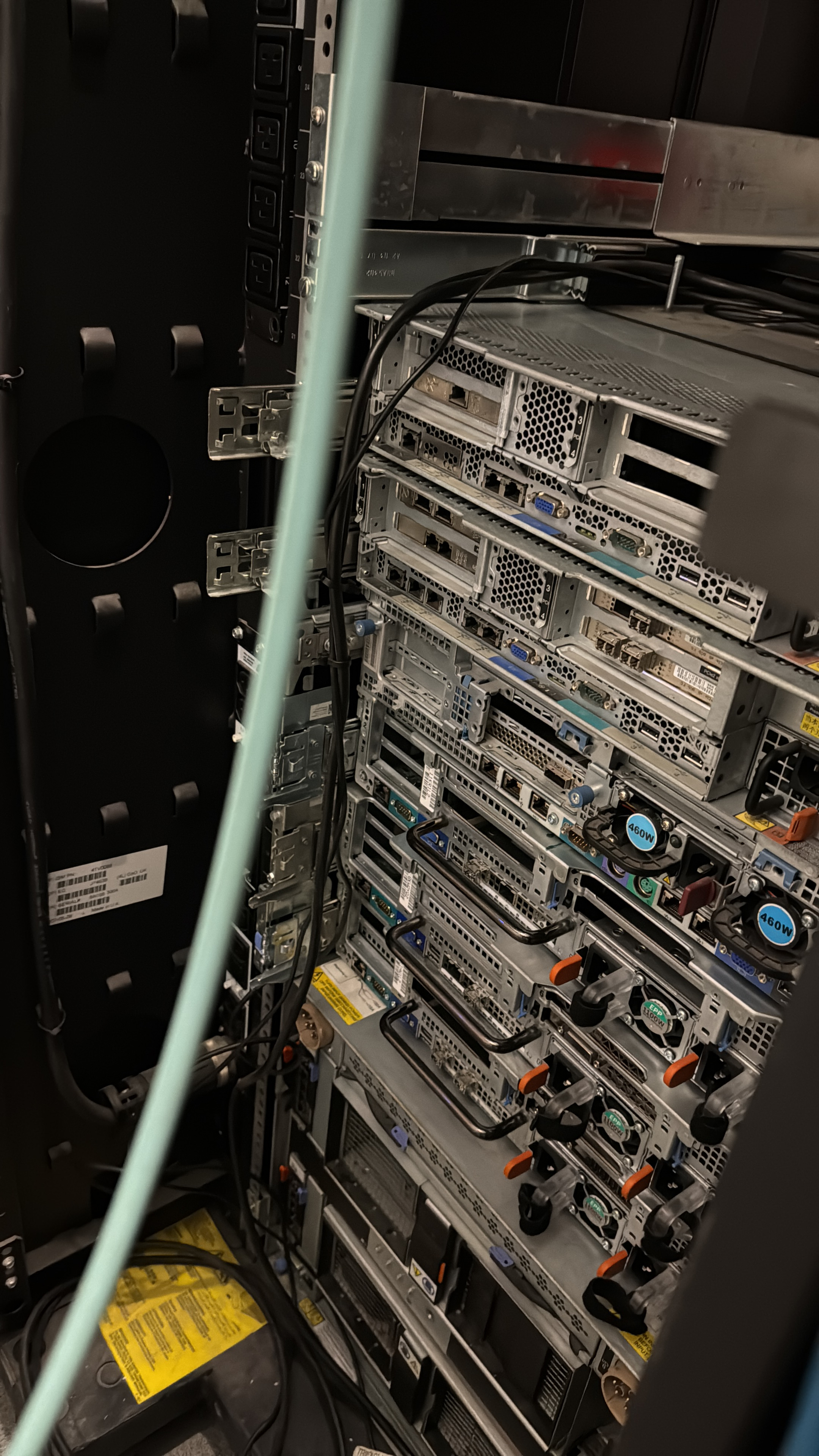
Server rear connections and service routing

Recoverability

Runbooks, restore checks and a sensible upgrade path rather than one-off undocumented installs.

How I work

Define the support model first, then build the routes, services and recovery paths around it.

1) Define support needs

Clarify local use, remote use, uptime priorities, restore targets and what actually matters if the stack degrades.

2) Build predictable routes

Addressing, service names, proxy rules and access boundaries are made explicit early so the stack stays traceable.

3) Prove recovery

Backups, restart behaviour and the first-response checks are treated as part of delivery, not as nice-to-haves.

4) Leave a runbook

The system is documented so another engineer can rebuild, restart or troubleshoot it without depending on memory.

Related work

Examples elsewhere on the site that connect to tooling, infrastructure or software around engineering systems.

What good infrastructure changes

Less hidden risk, faster support, cleaner changes.

The payoff from software and infrastructure work shows up when a team needs it most: when remote access has to work first time, when backups actually restore, when a service route is obvious, and when the system can be modified without somebody first decoding an undocumented stack.

That is the real finish point: infrastructure that helps engineering work move faster and recover more calmly.

Less downtime
Faster recovery
Clearer ownership
Better handover
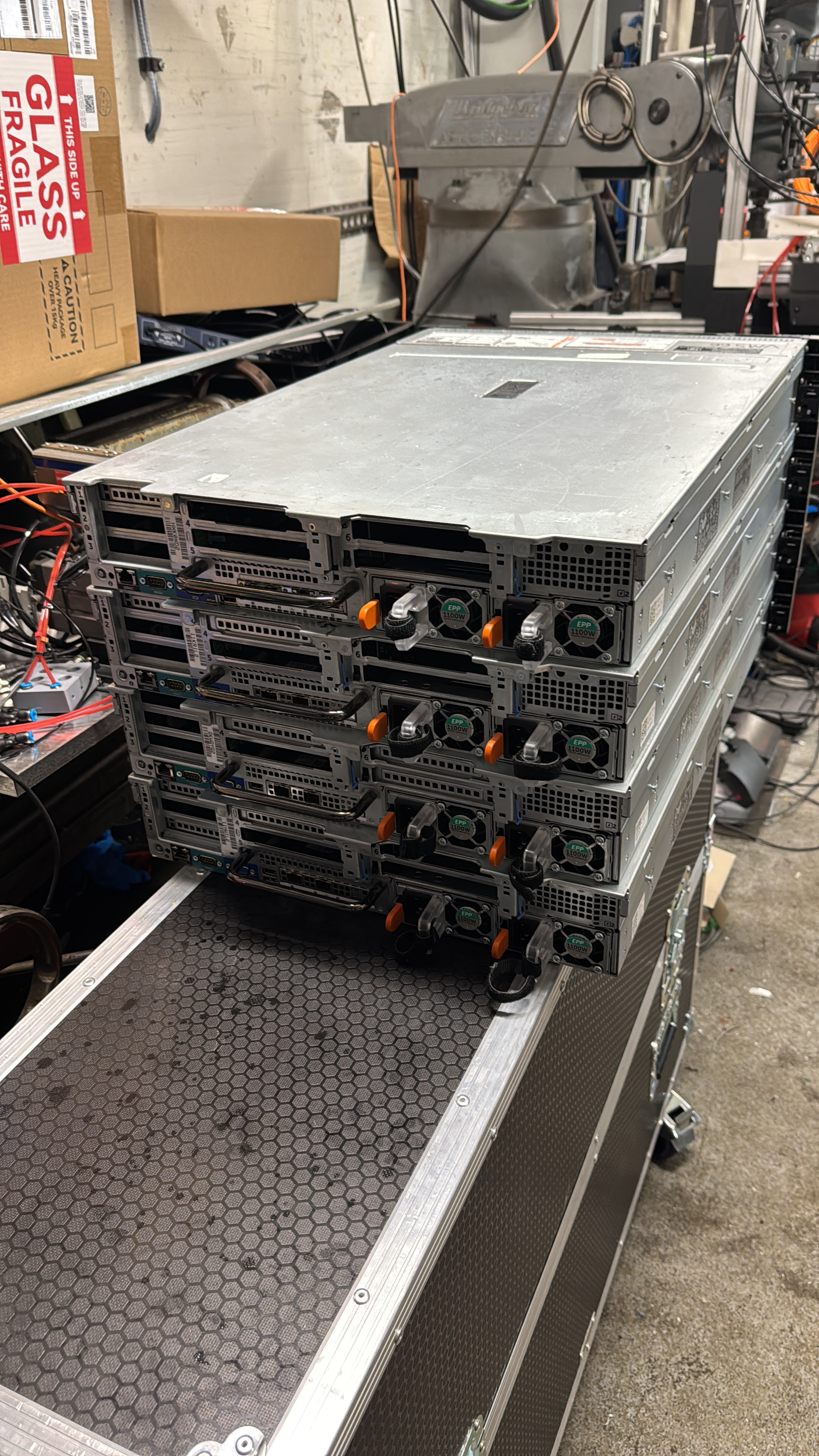
Servers arriving for deployment
Enquiries

Send the site constraints, what must work reliably, and what already exists.

Useful context includes whether the job is for remote support, commissioning tools, uptime improvement, internal application hosting or a wider OT and IT boundary problem, plus any current hardware, network layout and security requirements that shape the design.

Servers arriving for deployment